Kreutz Sungrazing Comets 3D Explorer vs Comet Orbit 3D Explorer
freetoolonline.com editorial teamBoth pages render real comet science in one page load - 0 MB installed, USD 0, no account. The Kreutz Sungrazing Comets 3D Explorer covers the EXTREME family that nearly touches the Sun; the Comet Orbit 3D Explorer covers a NORMAL periodic comet's moderate ellipse far from the Sun.
The numbers side by side
| Aspect | Kreutz Sungrazing Comets Explorer | Comet Orbit Explorer |
|---|---|---|
| Install size | 0 MB - runs in the browser | 0 MB - runs in the browser |
| Price | USD 0 | USD 0 |
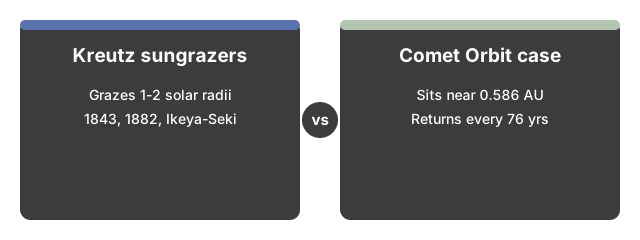
| Perihelion distance | about 1-2 solar radii (roughly 0.005-0.01 AU) | about 0.586 AU (Halley reference) |
| Real comets shown | Great Comet of 1843, Great Comet of 1882, Ikeya-Seki (1965) | Halley-type reference figures (P about 76 yr, q 0.586 AU) |
| Survival at perihelion | Usually not - most fragments vaporize into dust | Yes - periodic, returns roughly every 76 years |
| Interaction | Pick a comet preset, sweep or play toward perihelion | Scrub orbit progress, toggle ion/dust tails |
Where the Comet Orbit Explorer wins
The Comet Orbit Explorer wins when the question is how a normal, periodic comet's orbit and tails work at a moderate, survivable distance from the Sun - it is the reference case every extreme comet is compared against.
Where the Kreutz Explorer wins
The Kreutz Explorer wins when the question is why some comets pass almost at the Sun's surface and mostly do not survive it - it is the only page on the site visualizing the extreme sungrazer population and three real historical comets, including two that briefly outshone the full Moon in daylight.
A reasonable rule
As a reasonable rule, use the Comet Orbit Explorer first to see how a normal comet's orbit and tail work, then use the Kreutz Explorer to see the extreme case where a family of fragments nearly touches the Sun and mostly does not survive.
See how to use the Kreutz Sungrazing Comets 3D Explorer for a step-by-step walkthrough.
Why trust these tools
- Ten-plus years of web tooling. The freetoolonline editorial team has shipped browser-based utilities since 2015. The goal has never changed: get you to a working output fast, without an install.
- No install, no sign-up. Open a tool and get a working output in seconds - nothing to download and no account to create. Tools that need heavy processing run it on our service, so even a low-powered machine gets the job done.
- Analytics stops at the page view. We measure which pages get visited, not what you type or upload inside a tool. There is nothing to sign in to and no profile is attached to your input.
- Open-source core components. The processing engines underneath (libheif, libde265, pdf-lib, terser, clean-css, ffmpeg.wasm, and others) are public and audit-able. We link to each one in its tool page's footer.
- Free, with or without ads. All tools are fully functional without sign-up. The Disable Ads button in the header is always available if you need a distraction-free run.