How to Use the Stellar Spectral Classification 3D Explorer - Step by Step
Open the Stellar Spectral Classification 3D Explorer, pick a letter class or drag the temperature slider, then read the facts panel to see the real temperature range, dominant line family, and luminosity example for that star.
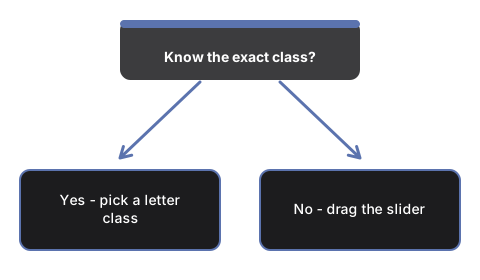
Pick a letter class button
Press any of the seven O, B, A, F, G, K, M buttons to jump #t3dSscTempSlider straight to that class's representative temperature. The star's color and the three line-strength bars update to match.
Or scrub the temperature slider yourself
Drag #t3dSscTempSlider to move continuously across the full OBAFGKM range. The slider is scaled so both the hottest O stars and the coolest M stars stay reachable in one drag.
Toggle the luminosity class
Press #t3dSscLumBtn-V, #t3dSscLumBtn-III, or #t3dSscLumBtn-I to compare a main-sequence dwarf, a giant, or a supergiant at the same temperature - the star's on-screen size changes using the real Aldebaran and Betelgeuse examples as a teaching scale.
Pin the Sun
Press #t3dSscSunBtn to jump straight to the Sun's real effective temperature, 5,772 K, at main-sequence luminosity - the Sun's true G2V classification.
Play through the sequence hands-free
Press #t3dSscPlayBtn to auto-scrub back and forth across the whole OBAFGKM range, or press it again to pause and take manual control.
Drag to orbit and use fullscreen
Drag to orbit the camera, scroll or pinch to zoom, and use the Fullscreen button to expand the whole wrapper for a clearer view of the star and the three line-strength bars.
Next: see when to use this explorer or how it compares to the Black-Body Radiation 3D Explorer.
Why trust these tools
- Ten-plus years of web tooling. The freetoolonline editorial team has shipped browser-based utilities since 2015. The goal has never changed: get you to a working output fast, without an install.
- No install, no sign-up. Open a tool and get a working output in seconds - nothing to download and no account to create. Tools that need heavy processing run it on our service, so even a low-powered machine gets the job done.
- Analytics stops at the page view. We measure which pages get visited, not what you type or upload inside a tool. There is nothing to sign in to and no profile is attached to your input.
- Open-source core components. The processing engines underneath (libheif, libde265, pdf-lib, terser, clean-css, ffmpeg.wasm, and others) are public and audit-able. We link to each one in its tool page's footer.
- Free, with or without ads. All tools are fully functional without sign-up. The Disable Ads button in the header is always available if you need a distraction-free run.