How to Use the Kreutz Sungrazing Comets 3D Explorer - Step by Step
Open the Kreutz Sungrazing Comets 3D Explorer, pick a real historical comet or the typical unnamed fragment, sweep it toward the Sun with the slider or "Play sweep", and watch what happens at perihelion.
Pick a comet preset
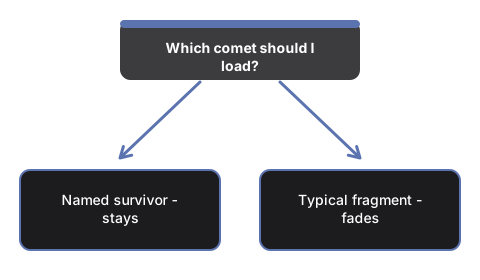
Press "Typical family member", "Great Comet of 1843", "Great Comet of 1882", or "Ikeya-Seki (1965)" to load that comet's real perihelion distance and facts into the scene and the facts panel.
Sweep or play toward perihelion
Drag the "Sweep" slider to jump to any point on the orbit, or press "Play sweep" to move automatically from far out, through perihelion, and back - watch the ion (blue) and dust (yellow) tails lengthen as the nucleus nears the Sun.
Watch what happens at perihelion
For the typical family member, the nucleus and tails fade to nothing just past perihelion - most Kreutz fragments vaporize into dust at or before closest approach. The three named historical comets stay visible the whole way through, because they are the rare survivors.
Read the family fan
The faint lines fanning out around the bright orbit represent sibling family members grouped on nearly the same path - an illustration of the family, not measured data for specific objects.
Drag to orbit and use fullscreen
Drag to orbit the camera, scroll or pinch to zoom, and use the Fullscreen button to expand the whole wrapper for a clearer view.
Next: see when to use this explorer or how it compares to the Comet Orbit 3D Explorer.
Why trust these tools
- Ten-plus years of web tooling. The freetoolonline editorial team has shipped browser-based utilities since 2015. The goal has never changed: get you to a working output fast, without an install.
- No install, no sign-up. Open a tool and get a working output in seconds - nothing to download and no account to create. Tools that need heavy processing run it on our service, so even a low-powered machine gets the job done.
- Analytics stops at the page view. We measure which pages get visited, not what you type or upload inside a tool. There is nothing to sign in to and no profile is attached to your input.
- Open-source core components. The processing engines underneath (libheif, libde265, pdf-lib, terser, clean-css, ffmpeg.wasm, and others) are public and audit-able. We link to each one in its tool page's footer.
- Free, with or without ads. All tools are fully functional without sign-up. The Disable Ads button in the header is always available if you need a distraction-free run.