How to Explore Black Hole 3D Visualizer - Step by Step
The Black Hole 3D Visualizer starts as soon as the page loads: drag to orbit the glowing accretion disk, scroll or pinch to zoom, and click once for fullscreen. Everything renders on your own device - no install, no account, no upload.
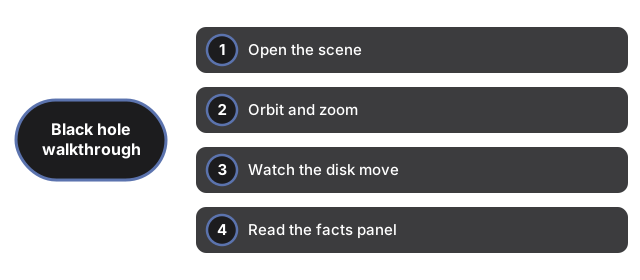
Open the scene
Open the scene for the Black Hole 3D visualizer from https://freetoolonline.com/space-3d/black-hole.html and wait for the accretion disk and event-horizon glow to finish loading before you spin the camera.
Orbit and zoom
Orbit and zoom the Black Hole 3D visualizer with drag and scroll (or pinch) so you can frame the photon ring and the far side of the disk without losing the horizon silhouette.
Watch the disk move
Watch the disk move in the Black Hole 3D visualizer as the bright inner ring races around the hole; that motion is a simplified accretion flow, not a live telescope feed.
Read the facts panel
Beside the scene, the panel carries real published figures: Sagittarius A* at about 4.3 million solar masses in the center of our galaxy, M87* at about 6.5 billion - the first black hole ever imaged - and the rule of thumb of roughly 3 km of event-horizon radius per solar mass. The visuals are parametric art; the numbers are real.
Fullscreen and phones
One click on the fullscreen control expands the scene while the panel stays readable. Phones automatically get a lighter particle count - about 12,000 instead of the 32,000 drawn on desktop - so the orbit stays smooth on small devices. The whole page is an artistic, educational approximation: it does not solve general relativity, and gravitational lensing is hinted at rather than computed. For a side-by-side look at how this compares with an installed astronomy app, see Black Hole 3D Visualizer vs desktop astronomy apps.
Why trust these tools
- Ten-plus years of web tooling. The freetoolonline editorial team has shipped browser-based utilities since 2015. The goal has never changed: get you to a working output fast, without an install.
- No install, no sign-up. Open a tool and get a working output in seconds - nothing to download and no account to create. Tools that need heavy processing run it on our service, so even a low-powered machine gets the job done.
- Analytics stops at the page view. We measure which pages get visited, not what you type or upload inside a tool. There is nothing to sign in to and no profile is attached to your input.
- Open-source core components. The processing engines underneath (libheif, libde265, pdf-lib, terser, clean-css, ffmpeg.wasm, and others) are public and audit-able. We link to each one in its tool page's footer.
- Free, with or without ads. All tools are fully functional without sign-up. The Disable Ads button in the header is always available if you need a distraction-free run.